
Last checked: October 2026. Meta changes its rules and tools often, so we’ll keep this page updated.
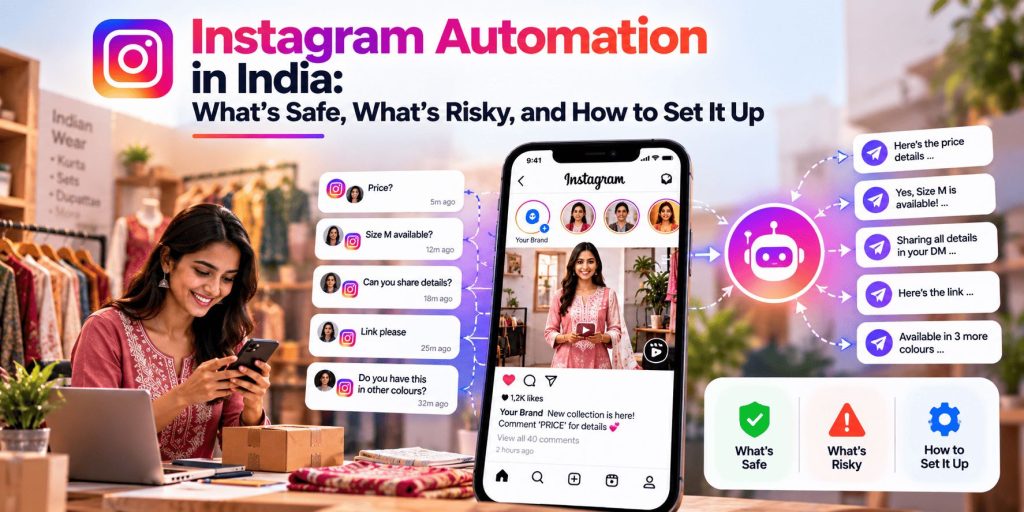
You post a reel of a new kurta collection in the evening. By the time you’ve finished dinner, there are forty comments, and thirty-five of them say some version of “Price?”, “Size M available?” or “Details pls”. You reply to a few, then lose the thread. Next morning you find a message you never answered, and the customer has already bought from someone else.
Almost every Indian business that sells on Instagram knows this. It’s why “DM me for price” and keyword offers such as “comment LINK and I’ll send it” have become so common. And it’s why so many owners ask the same question: can I automate this without getting my account blocked?
The honest answer is yes, for some kinds of automation, and absolutely not for others. The line between them is clearer than most tool vendors let on. This guide explains what Instagram automation really means, what Meta’s rules allow, the five automations worth setting up, how to build them safely, what tools cost, and the mistakes that put accounts at risk.
If you already run WhatsApp for your business, you’ll find the two fit together well, and we’ll show how.
In short
- Two very different things share one name. Replying to people who comment or message you through Meta’s official connection is allowed. Bots that follow, like or comment for you, or that ask for your password, are not.
- Meta’s rules shape every flow. You get one private reply to a comment (within seven days), and a 24-hour window after someone messages you.
- Start free. Meta’s own inbox tools and saved replies cover a lot before you pay for anything.
- Keep a human in the loop. Always give people an easy way to reach a real person.
What “Instagram Automation” Actually Means
The phrase covers two very different worlds, and mixing them up is how accounts get into trouble.
| Reply automation (allowed) | Growth bots (not allowed) | |
|---|---|---|
| What it does | Answers people who commented, replied to a story, or sent you a message | Follows, unfollows, likes or comments on other people’s accounts for you |
| Who starts it | The customer does, by commenting or messaging first | The bot does, targeting strangers |
| How it connects | Through Meta’s official messaging connection, via approved tools | Often by logging in with your password, outside Meta’s systems |
| Risk | Low if you follow the rules | Instagram can remove the engagement, limit features or disable the account |
Instagram’s own Help Center warns against apps that offer likes or followers in exchange for your login details. It says none of them is endorsed by Instagram, that sharing your login can give them full access to your account, including your messages, and that the account can be limited or disabled. Buying followers, joining engagement pods and follow-for-follow bots belong in the same category.
So when you hear “Instagram automation” from a vendor, the first question is: which kind? This guide is only about the first.
What Meta’s Rules Allow, in Plain Words
Automation tools that work safely use Meta’s official messaging connection, and the rules built into it decide what you can do. These come from Meta’s developer documentation:
- You need a professional account. A Business or Creator account can use it. Personal and private accounts can’t.
- A comment gives you one private reply. When someone comments on your post, reel or ad, you can send them a single private message, within seven days of the comment. That’s the engine behind “comment a keyword and get a DM.”
- The conversation continues only if they reply. After that one message, you can keep chatting only if the person writes back. Their reply opens a 24-hour window.
- The 24-hour window. After a person messages you, you generally have 24 hours to respond. Meta says messages sent inside that window may contain promotional content.
- Humans get a little more time. A human agent can reply manually for up to seven days in some situations, but this is meant for real people answering a support issue, not for bots, and it needs separate approval.
- Where the message lands. A private reply goes to the person’s Inbox if they follow you, and to their Requests folder if they don’t.
- No mass promotional DMs. Meta’s messaging policy doesn’t offer sponsored or news-style broadcast messages through this connection. You can’t message your whole follower list who haven’t contacted you.
Two things follow from this. First, automation works best as a reply tool, not an outreach tool. Second, tools that promise to DM thousands of strangers are either breaking the rules or cutting corners.
Meta’s systems can also flag unusual behaviour. ManyChat’s own help pages explain that an account can be flagged for sending too many automated messages too quickly, or for public comment replies that look copied and pasted. So being allowed isn’t the same as being unlimited.
Five Automations Worth Setting Up
These are all reply-based, so they sit inside the rules above.
1. Comment-to-DM ("Comment PRICE and I'll send details")
This is the most popular one, and for good reason. Someone comments a keyword, the tool replies privately with the price, link, catalogue or booking details, and the customer is in a one-to-one chat while they're still interested.
It suits boutiques, jewellery sellers, home bakers, coaching centres ("comment DEMO"), real-estate teams and anyone who gets the same questions under every post. Add a short public reply as well, such as "Just sent you a DM!", so the comment section stays tidy.
2. Story reply automation
When someone replies to your story or mentions you, an automatic message starts the conversation. Good for polls, Q&A stories and "reply YES for the offer" campaigns.
3. Saved replies and FAQs for inbound messages
For people who message you directly, set up quick answers to the questions you get every day: timings, delivery areas, cash on delivery, return policy, size charts. Instagram's inbox has saved replies and an FAQ feature, which are free and carry no policy risk.
4. Lead capture inside the chat
A short sequence of questions (name, city, what they're looking for) that saves the answers to a sheet or your CRM. Particularly useful for services such as clinics, coaching, interiors and real estate, where you need a few details before a useful conversation.
5. The handoff to WhatsApp or a human
For many Indian businesses, the best result of an Instagram chat is a WhatsApp conversation, where customers are most comfortable sharing details, asking about delivery and paying. A simple Instagram message that includes a click-to-chat link ("Tap here to continue on WhatsApp") bridges the two. Your WhatsApp setup then takes over; see our WhatsApp Business automation guide for that side.
Whatever you automate, include a clear way to reach a person, such as "Type AGENT to talk to our team." Meta's guidance for automated experiences expects an escalation path, and customers expect one too.
How to Set It Up Safely
Step 1: Switch to a professional account
In Instagram's settings, change to a Business or Creator account. Without this, none of the official tools will work.
Step 2: Decide one job for the first automation
Pick the question you answer most often, for example "price" or "booking details." One simple flow that works beats five half-built ones.
Step 3: Try the free tools first
Before you pay for anything, look at what Meta gives you. Instagram's inbox has saved replies and FAQs, and Meta Business Suite has inbox automations, including keyword-based comment-to-message templates in some accounts. Open Business Suite on a computer, go to Inbox, and look for Automations. Features differ between accounts and change over time, so check what you see.
Step 4: Write the message like a person
Short, helpful and specific. Here is an example in friendly Hinglish for a boutique:
Hi! 😊 Thanks for your interest in the kurta set.

Price: ₹1,499 (free delivery above ₹1,999)
Sizes: S, M, L, XL — tell us your size and city and we'll confirm.

Want to order or see more colours? Tap here to chat on WhatsApp: [link]
Or type AGENT to talk to our team.
Keep it to one clear action. Don't paste a wall of text, and don't send the same message everywhere without checking it makes sense for that post.
Step 5: Test it with a second account
Comment the keyword from another account, check that the reply arrives, and see what a non-follower sees. Remember that a non-follower's message lands in their Requests folder, so it's less visible.
Step 6: Watch it for the first two weeks
Read the chats it starts. You'll find gaps: questions it can't answer, odd triggers, replies that sound wrong. Fix them, then check less often.
Tools: What to Use and What It Costs
| Option | What it is | Worth knowing |
|---|---|---|
| Instagram inbox features | Saved replies, FAQs | Free and built in; limited to inbound messages |
| Meta Business Suite | Meta’s own inbox and automations | Free; check which templates (including comment-to-message) your account shows |
| Interakt | An Indian omnichannel inbox that supports WhatsApp and Instagram | Useful if you want Instagram and WhatsApp in one place; check current plans |
| ManyChat | A widely used flow builder for Instagram, Messenger and WhatsApp | Bills by active contacts, in US dollars, so GST and exchange rates apply; changed its plans in March 2026, and sources disagree on the exact tiers, so check its pricing page |
| Newer India-priced tools | Several smaller tools list rupee plans | Check that they work through Meta’s official connection |
Questions to ask any tool before you connect your account
- Does it work through Meta’s official connection, and is it an approved Meta partner?
- Does it ever ask for my Instagram password? (If yes, walk away.)
- Can I pay in rupees and get a GST invoice?
- How does pricing grow as my contacts grow? Per-contact plans can climb quickly.
- Can I connect it to WhatsApp, my store or my CRM?
- Can I export my contacts if I leave?
- Is there real support if something breaks?
A word of caution on vendor claims. Many tool websites quote impressive figures, such as several times more leads or double-digit purchase rates. They’re marketing claims, usually from the companies’ best customers. Treat them as a ceiling, not a forecast, and judge a tool by a small trial on your own account.
Mistakes That Put Accounts and Sales at Risk
❌ Using a bot that asks for your password. It’s the fastest way to lose an account, and it gives the bot access to your messages.
❌ Sending identical public replies at speed. Mix up the wording, and avoid replying to hundreds of comments with the same line.
❌ Treating a comment like permission to message forever. You get one private reply. Anything beyond it depends on the person answering.
❌ Triggering on common words. A keyword like “price” will fire on unrelated comments. Choose a specific word, and review what’s triggering it.
❌ Letting automation talk to angry customers. A cheerful auto-reply to a complaint makes things worse. Route complaints to a person.
❌ Promising what you can’t deliver. If the message quotes a price, delivery date or discount, keep it up to date. An old offer in an automated message is still an offer.
❌ Hiding that it’s automated. You don’t need a banner, but don’t pretend to be a person, and be honest if someone asks.
❌ Ignoring consent. India’s data protection law is being phased in, and most obligations for businesses apply from May 2027. Collect only what you need, tell people why you’re asking, and make it easy to stop.
❌ Setting it up and walking away. Check the chats regularly and update the messages when your prices or offers change.
How to Tell Whether It’s Working
You don’t need a dashboard full of numbers. Track a simple chain and watch where people drop off:
- Comments with your keyword
- DMs sent
- People who replied
- Clicks to WhatsApp, or enquiries captured
- Orders or bookings
For attribution, use a discount code or a link with tracking tags specific to Instagram, so you can tell which sales started there. Compare month to month against your own numbers instead of chasing a universal benchmark. Our Instagram Engagement Rate Calculator can help you check how your posts are doing overall.
Where AI Fits In
Many tools now offer AI replies in Instagram chats. They can be useful for answering varied questions in natural language, but they come with the same cautions as any AI on customer chats. Give them accurate information, test them with awkward questions, and keep a person ready to take over.
Meta itself is moving in this direction. It has launched Business AI for WhatsApp in India, and news coverage says it plans to bring its AI agent to Instagram and Messenger later. We cover the WhatsApp side in our guide to Meta Business AI on WhatsApp. For a wider look at what to automate across your marketing, see our AI marketing automation guide for small businesses.
Is Instagram Automation Right for You?
It’s a good fit if:
- You get the same questions under every post or reel
- Customers comment “price” or “details” and then disappear when you’re slow
- You sell products, bookings or services that can be explained in a short message
- You can spend a few minutes a day reviewing chats at the start
It’s better to wait if:
- Your sales are high-value and need a personal conversation from the first message
- You get only a handful of messages a week
- Your prices or offers change so often that messages would go out of date
- You’re tempted by a tool that promises growth through mass following or messaging
A One-Week Starter Plan
| Day | What to do |
|---|---|
| 1 | Switch to a professional account. List the five questions you answer most often |
| 2 | Write saved replies for them. Add FAQs to your inbox |
| 3 | Check Business Suite for automations. Pick one keyword and one post to test |
| 4 | Write the DM (with a WhatsApp link and an AGENT option). Test it from a second account |
| 5 | Turn it on for one post or reel |
| 6–7 | Read every chat it starts. Fix gaps, and decide whether to expand or add a tool |
Our Verdict
Instagram automation done properly is one of the simplest ways for a small business to stop losing customers to slow replies. The safe version is modest: answer people who’ve already shown interest, quickly and politely, and hand over to a human when it matters. Pair it with WhatsApp and it can turn a comment into a conversation that actually ends in a sale.
The risky version, with bots that follow, like or message strangers, is the one that gets accounts restricted, and it isn’t worth it.
If you’re starting out, start free, keep it to one flow, and read the chats. You’ll learn more in a week of watching real conversations than from any tool’s marketing page.
Need Help Setting This Up?
At Digital Dawn we help Indian businesses with Instagram, Meta ads and WhatsApp, including planning which questions to automate, writing the messages, and connecting Instagram to WhatsApp so enquiries don’t get lost. If you’d like a second pair of eyes before you switch anything on, we’re happy to talk.
Get in touch:
- Call/WhatsApp: +91-9644940497
- Email: hello@digitaldawn.in
- Website: www.digitaldawn.in
Related services:
Social Media Marketing
Meta Ads
WhatsApp Marketing
Sources:
Meta: Private Replies (Instagram messaging)
Meta: Messenger Platform and Instagram messaging policy
Meta: Instagram Platform overview
