
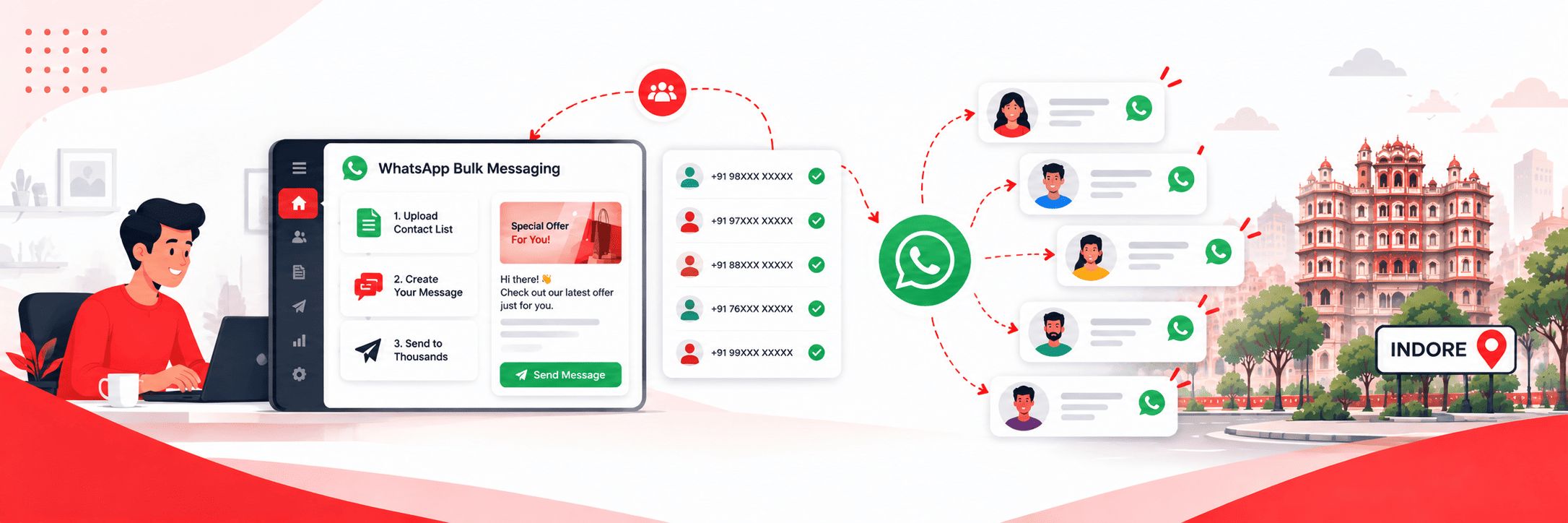

Bulk WhatsApp Messaging Panel in Indore
Want to reach thousands of customers on WhatsApp without sending messages one by one? Our bulk WhatsApp messaging panel lets you do exactly that — from a simple web-based dashboard that you control.
No complicated installation, no technical expertise needed. Log in, upload your contact list, choose your message type, and send. Your message reaches your entire list directly on WhatsApp within minutes.
We provide the panel, the sending infrastructure, and the support to get you started. You handle the campaigns.
What Is a Bulk WhatsApp Messaging Panel?
A bulk WhatsApp messaging panel is a web-based software tool that lets businesses send promotional or informational messages to large contact lists through WhatsApp — all from one dashboard.
Instead of using your personal WhatsApp or WhatsApp Business app to message customers one at a time, the panel lets you upload thousands of numbers, compose your message, attach images, videos, or PDFs, and send everything in one go. Messages are delivered through virtual numbers so your personal or business number stays separate.
It’s the fastest and most cost-effective way for businesses in Indore to use WhatsApp as a direct marketing channel without any complex technical setup.
Flexible WhatsApp Campaigns
Three Ways to Send — Choose What Fits Your Campaign
Our panel offers three distinct messaging methods, each suited to different types of campaigns and budgets. Charges vary by method.
Method 1 — Normal Messaging
The straightforward option. Send text messages, images, videos, or PDFs to your contact list. Clean, simple, and effective for most promotional campaigns — offers, announcements, reminders, and updates. This is the most affordable method and works well for businesses that want to reach a large list at a low cost per message.
Method 2 — Messaging with Buttons
Take your campaigns a step further by adding interactive buttons to your messages. Instead of just reading your message, recipients can tap a button to call you, visit your website, or send a reply — directly from the message itself. This increases engagement and makes it easier for customers to take the next step without any extra effort. Ideal for campaigns where you want a specific response — a call, a website visit, or a WhatsApp reply.
Method 3 — Messages with Brand Profile Picture
Send messages that display your brand’s profile picture alongside the message so recipients can immediately see who the message is from. This adds a layer of credibility and brand recognition to your campaigns — particularly useful for established businesses that want their communications to look professional and recognisable rather than coming from an unknown number.
Not sure which method is right for your campaign? Get in touch and we’ll recommend the best option based on what you’re trying to achieve.
How the Panel Sends Messagees
All messages sent through our panel are delivered via virtual numbers — dedicated sending numbers that are separate from your personal or business WhatsApp number. This means your own number is never at risk and you can run campaigns at scale without any impact on your day-to-day WhatsApp usage.
The panel is entirely web-based so there’s nothing to install or configure on your end. You access it through a browser, manage everything from the dashboard, and can send campaigns from anywhere.
What you get access to?
When you sign up for our bulk WhatsApp messaging panel, you get access to a complete dashboard that covers everything you need to run campaigns:
- Contact management — Upload and organise your contact lists in one place. Import from Excel or CSV files directly.
- Campaign scheduling — Schedule campaigns to go out at a specific time rather than sending immediately. Plan your campaigns in advance and let the panel handle the timing.
- Media support — Attach images, videos, and PDFs to your messages. All three messaging methods support rich media.
- Delivery reports — After every campaign, the dashboard shows you how many messages were successfully delivered so you always have a clear record of each send.
Bulk WhatsApp Messaging in Indore
Who Uses Our Bulk WhatsApp Messaging Panel
Our panel works for any business or individual that needs to reach a large contact list on WhatsApp regularly. In Indore, our clients include:
Coaching institutes sending admission updates, fee reminders, and exam schedules
Retailers and showrooms running festival offers and new arrival announcements
Clinics and hospitals sending appointment reminders and health updates
Real estate agents sharing new property launches and site visit invitations
Travel agents sending holiday package offers and booking confirmations
Event organisers sending invitations and day-of reminders
Restaurants and cafes promoting daily specials and events
Digital marketing agencies managing WhatsApp campaigns for multiple clients
Any business with a contact list that wants to use WhatsApp as a direct marketing channel
Our panel works for any business or individual that needs to reach a large contact list on WhatsApp regularly.
Simple process
Getting Started Is Straightforward
Step 1 — Get in touch
Reach out on WhatsApp or call us. Tell us about your business, your contact list size, and what kind of campaigns you want to run. We’ll recommend the right messaging method and give you a clear per-message quote.
Step 2 — Account setup
We set up your panel account and walk you through the dashboard so you’re comfortable using it from day one. The interface is simple enough that most users are running their first campaign within a few hours of getting access.
Step 3 — Add credits and start sending
Add messaging credits to your account and you’re ready to go. Upload your contact list, compose your message, choose your messaging method, and send. Your campaign reaches your entire list within minutes.
Step 4 — Track and repeat
Check your delivery reports after each campaign, refine your messaging based on what’s working, and keep your customers engaged with regular, relevant updates.
Why Get Your Panel from Digital Dawn
We’re a digital marketing agency based in Indore. We’ve worked with businesses across the city and understand what kinds of campaigns work here, what messages get responses, and how to use WhatsApp effectively as a marketing channel.
When you get the panel through us, you’re not just getting software access. You get local support from a team that knows your market, advice on campaign strategy, and help with message content if you need it.
We also offer WhatsApp Business API services for businesses that want automation, chatbots, and two-way conversation management. If you start with the bulk messaging panel and decide you want to scale up to the API later, we make that transition straightforward.
Want to See the Panel or Get a Quote?
Tell us your contact list size and the type of campaigns you want to run. We’ll come back with a clear per-message quote and can arrange a quick walkthrough of the panel so you know exactly what you’re getting before you commit.
Call us at +91-9644940497