
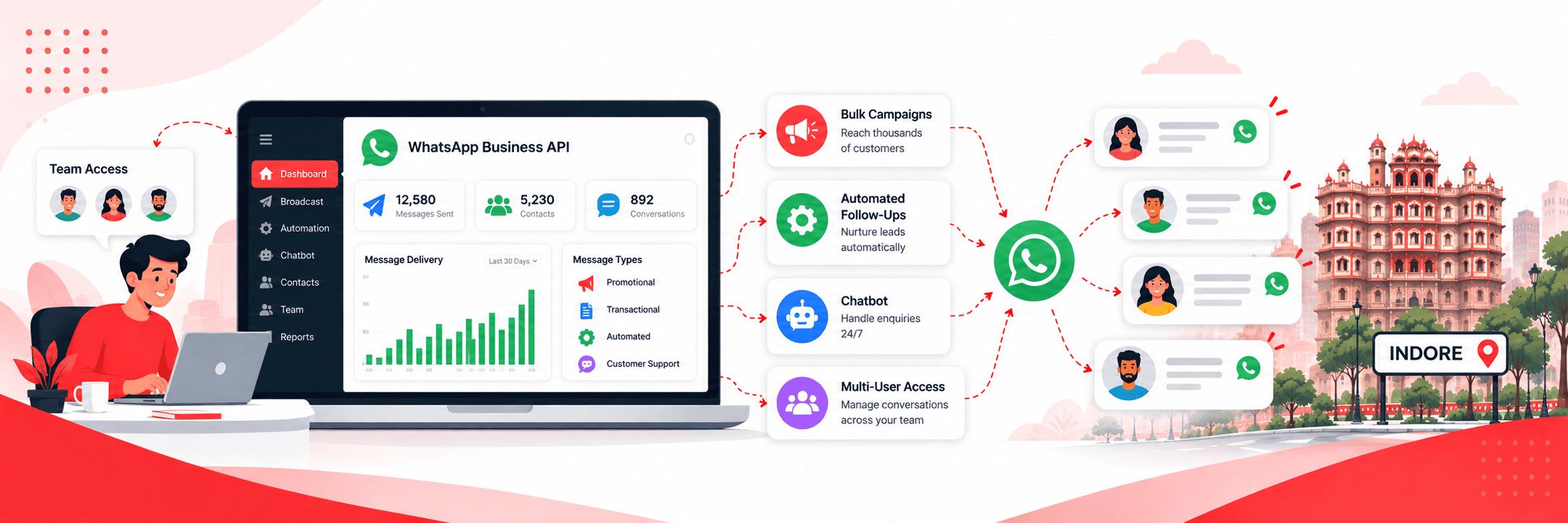

WhatsApp Business API Services in Indore
The regular WhatsApp Business app works fine when you’re managing a handful of customer conversations manually. But the moment you want to send campaigns to thousands of contacts, automate your follow-ups, run a chatbot that handles enquiries around the clock, or manage customer conversations across a team — the app simply can’t do it.
That’s where the WhatsApp Business API comes in.
The API is the official, Meta-approved way for businesses to use WhatsApp at scale. It removes the limitations of the regular app and opens up a complete set of tools for marketing, customer communication, and automation — all through a proper business platform.
We help businesses in Indore get set up on the WhatsApp Business API, configure their campaigns and automation, and manage the platform on an ongoing basis if needed.
What the WhatsApp Business API Actually Is
The WhatsApp Business API is not an app you download. It’s a platform that connects your business to WhatsApp’s infrastructure through a software interface — giving you the ability to send and receive messages programmatically, automate conversations, and manage customer communication at a scale that’s simply not possible with the standard WhatsApp Business app.
To use the API, your business needs to be onboarded through a Meta-approved Business Solution Provider — also called a BSP. We work with established BSP platforms to get your business set up, verified, and ready to run campaigns on the API quickly and without the technical complexity that typically comes with it.
Once you’re on the API, you get access to a full suite of features — broadcasts, automation, chatbots, multi-agent team inboxes, detailed reporting, and integration with your ads on Facebook and Instagram.
Is the WhatsApp Business API Right for You?
The WhatsApp Business API is the right choice if any of the following apply to your business:
- You want to send broadcast campaigns to large contact lists through an official, verified channel
- You want your messages to come from a verified business profile with your brand name and logo — not an unknown number
- You want to automate follow-up messages based on customer actions or enquiry timing
- You want a chatbot that handles common customer questions automatically without your team having to respond to every message manually
- You have a team that needs to manage customer conversations together from one shared inbox
- You want to run Click-to-WhatsApp ads on Facebook or Instagram that open a WhatsApp conversation directly
- You want detailed reporting on message delivery, open rates, and campaign performance
If you’re currently using the standard WhatsApp Business app and finding it limiting, the API is the natural next step.
Official WhatsApp Solutions
What Our WhatsApp Business API Service Covers
Explore the services that help businesses manage customer conversations, automate communication, run campaigns, and measure performance.
Business Verification & API Setup
Getting onto the WhatsApp Business API involves a verification process with Meta and onboarding through a BSP platform. We handle the entire setup — business verification, BSP onboarding, phone number registration, and initial platform configuration. You don’t need to deal with any of the technical complexity. We get you live on the API as quickly as possible.
Verified Business Profile
When you’re on the API, your messages can be sent from a verified business profile that displays your brand name, logo, and business description. Recipients see exactly who the message is from — your business name, not an unknown number. This significantly improves trust and open rates compared to messages sent from unverified numbers.
Broadcast Campaigns
Send promotional and informational messages to your entire contact list at once through an official, verified channel. Festival offers, product launches, event invitations, appointment reminders, policy updates — whatever you need to communicate to a large group of customers at once. All broadcasts go through approved message templates that meet WhatsApp’s guidelines.
Automated Message Sequences
Set up automated messages that trigger based on specific customer actions or time intervals. A welcome message when someone first contacts you. A follow-up 24 hours after an enquiry. A reminder three days before an appointment. A re-engagement message for customers who haven’t bought in 90 days. Once the sequences are built, they run automatically without anyone on your team having to remember to send anything.
WhatsApp Chatbot
A chatbot that handles your most common customer questions automatically — your business hours, your location, your pricing, your product availability — and captures lead details before routing serious enquiries to a human agent. Your team spends less time answering repetitive questions and more time on conversations that actually need human attention. We build the chatbot flows based on the specific questions your customers ask most frequently.
Team Inbox & Multi-Agent Access
The API supports multiple team members managing customer conversations from a single shared inbox. Assign conversations to specific agents, track response times, add internal notes, and make sure no customer enquiry falls through the cracks. Particularly useful for businesses with a dedicated customer service or sales team.
Click-to-WhatsApp Ads
Run ads on Facebook and Instagram where the call-to-action button opens a WhatsApp conversation directly instead of sending someone to a website or landing page. Someone sees your ad, taps it, and is already talking to your business — no form, no drop-off, no waiting. This is one of the highest-converting ad formats available right now for local businesses in Indore. It connects naturally with our Meta Ads and PPC services for clients who want the full campaign managed alongside the API setup.
Reporting & Analytics
The API platform gives you detailed reporting on every campaign — message delivery rates, read rates, response rates, and campaign-level performance data. You always know how your WhatsApp marketing is performing and have the data to make informed decisions about what to send, when to send it, and to whom.
Ongoing Management
For businesses that want everything handled without managing the platform themselves, we offer monthly management — campaign planning, message writing, broadcast scheduling, chatbot maintenance, performance monitoring, and monthly reporting. You focus on your business and we take care of the WhatsApp side completely.
Why a Verified Business Profile Matters
When you use the regular WhatsApp Business app or a bulk messaging panel, your messages come from a number that recipients don’t recognise. They see an unknown number and have no way to immediately tell who the message is from — which increases the chance they ignore it or mark it as spam.
With the WhatsApp Business API and a verified business profile, your messages display your actual business name and logo. Recipients see “Digital Dawn” or whatever your business name is — not a random number. This builds immediate trust and significantly improves how customers respond to your campaigns.
Verification also signals to WhatsApp that your business is legitimate, which means your number is far less likely to be flagged or restricted when running large campaigns.
Choose the right solution
WhatsApp Business API vs Bulk Messaging Panel — What’s the Difference?
Both services let you send messages to large contact lists on WhatsApp. The difference is in scale, capability, and the channel used.
Bulk WhatsApp Messaging Panel
Our bulk WhatsApp messaging panel sends messages through virtual numbers — it’s fast, affordable, and simple. It’s the right choice for businesses that want to send one-way promotional broadcasts at a low cost without complex setup.
- ✓One-way promotional broadcasts
- ✓Fast and affordable messaging
- ✓Simple setup for straightforward campaigns
WhatsApp Business API
The WhatsApp Business API uses an official, verified business channel. It’s more powerful, supports two-way conversations, automation, chatbots, and team inboxes, and is the right choice for businesses that want WhatsApp to work as a complete marketing and customer communication system.
- ✓Two-way customer conversations
- ✓Automations and chatbots
- ✓Shared team inbox and customer communication
Not sure which option fits your needs?
If you’re not sure which one fits your needs, our WhatsApp marketing overview page explains the difference clearly or just get in touch and we’ll recommend the right option based on your situation.
Important information
A Few Things to Be Clear About
Three important things to understand before getting started with WhatsApp Business API.
WhatsApp conversation charges are separate from our fee.
Meta charges for conversations on the WhatsApp Business API based on conversation type. Marketing conversations — promotional messages you initiate — are charged at approximately ₹1.09 per conversation. Utility conversations — transactional messages like appointment confirmations and order updates — are charged at approximately ₹0.14 per conversation. These charges are billed by Meta directly and are separate from our setup and management fees. We’ll give you a clear estimate of expected conversation costs before we start.
All broadcast messages require pre-approved templates.
WhatsApp requires that outbound broadcast messages — messages you initiate to customers — follow approved message templates. These templates are reviewed and approved by Meta before use. We create and submit your templates as part of the setup process. Customer-initiated conversations, where a customer messages you first, can be handled freely without templates.
Customers need to have opted in.
WhatsApp’s policies require that customers have given consent to receive messages from your business before you send them marketing communications. We help you set up proper opt-in processes so your campaigns are compliant and your number stays protected.
A note on pricing: The per-conversation amounts shown above are approximate figures from the supplied content. Confirm current Meta pricing and applicable rates before publishing.
Who We Help
Businesses in Indore That Benefit Most
The WhatsApp Business API delivers the strongest results for businesses that have regular, ongoing communication with customers and want to automate and scale that communication. In Indore we work particularly well with:
Coaching Institutes
Coaching institutes managing admissions, fee reminders, and student communication
Clinics & Hospitals
Clinics and hospitals handling appointment confirmations, follow-ups, and health updates
Real Estate Agencies
Real estate agencies managing leads, site visit scheduling, and project updates
Ecommerce & D2C Brands
Ecommerce sellers and D2C brands automating order updates and customer follow-ups
Travel Agencies
Travel agencies handling bookings, itineraries, and package promotions
Financial Services, CA Firms & Consultants
Financial services firms, CA firms, and consultants managing client communication
Retailers & Showrooms
Retailers and showrooms running regular promotional campaigns with customer engagement
Businesses with Sales Teams
Any business with a sales team that needs to manage a high volume of customer conversations efficiently
Our onboarding process
How We Get You Set Up
From the first conversation to your first campaign, we guide you through each stage of the WhatsApp Business API setup.
Step 1 — Discovery call
We start by understanding your business, your current WhatsApp usage, what you want to achieve with the API, and which features matter most — broadcasts, automation, chatbot, or the full setup.
Step 2 — Business verification & onboarding
We handle the Meta business verification process and onboard your number onto the API platform through our BSP. This typically takes 3 to 7 working days depending on Meta’s verification timeline.
Step 3 — Platform configuration
We configure your business profile, create and submit your message templates for approval, set up your automated sequences, and build your chatbot flows based on your specific requirements.
Step 4 — Team training
We walk your team through the platform — how to manage the team inbox, how to send broadcasts, how to read reports, and how to handle conversations that the chatbot escalates to a human agent.
Step 5 — Go live
Your first campaign goes out. From here we either hand over full management to your team or continue managing the platform for you on a monthly basis — whichever works better for your business.
From discovery to go-live: We guide you through the setup process and help prepare your team to use the platform.
Why Work With Digital Dawn for WhatsApp Business API
We’re a digital marketing agency based in Indore with experience across SEO, paid ads, social media, and ecommerce marketing. We don’t look at WhatsApp in isolation — we think about how it connects to everything else you’re doing.
A Click-to-WhatsApp ad works better when it’s built alongside your Meta Ads strategy. An automated follow-up sequence works better when it’s aligned with your social media content. A WhatsApp broadcast campaign works better when it complements what you’re doing with SEO and performance marketing.
That joined-up thinking is what makes working with a full-service agency different from working with a standalone WhatsApp tool provider.
We’re also based in Indore — which means you’re working with a local team that understands the market, is accessible when you need support, and has a genuine stake in making your campaigns work.
Ready to Set Up WhatsApp Business API for Your Business?
Whether you want a complete setup with automation and chatbot, or just want to start with verified broadcasts and see how it goes, get in touch and we’ll map out the right plan for your business.
No lengthy proposals, no confusing jargon. Just a straight conversation about what you need and how we can help.
Call us at +91-9644940497