Last checked: 18 November 2026. OpenAI launched this in beta, so the rules and steps can change. We will keep this page updated.
Picture a furniture maker in Indore. He sells beds and sofas through his own website, and his Google profile is in good shape. One evening a customer asks ChatGPT where to buy a solid wood bed online. ChatGPT names a few brands, and his is not one of them. A friend then tells him that when she asked about his shop, ChatGPT showed an old phone number.
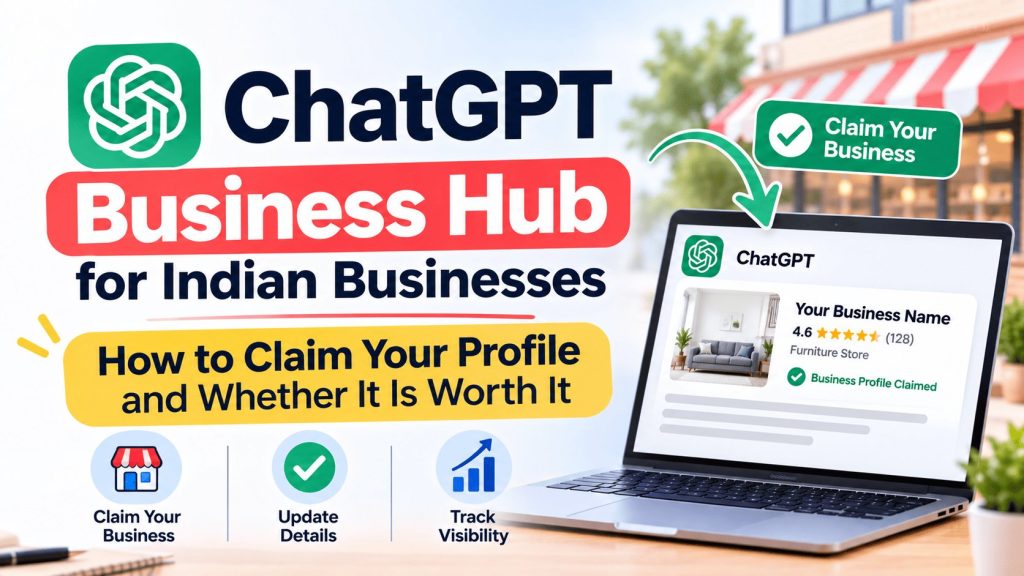
That is the kind of problem ChatGPT Business Hub tries to fix. It is a free tool from OpenAI that lets a business claim its own profile inside ChatGPT, correct the details, and see how often ChatGPT brings it up. Think of it as a cousin of Google Business Profile, built for ChatGPT.
There is a catch for India, and most guides skip it. Not every Indian business can claim a profile yet. In this guide, we explain what Business Hub is, who can use it from India, how to claim your business in ChatGPT step by step, and whether it is worth your time right now.
What is ChatGPT Business Hub?
On 10 November 2026, OpenAI announced a beta program called Businesses in ChatGPT. Business Hub is the dashboard that goes with it. You can open it at chatgpt.com/business-hub or from the sidebar after you sign in to ChatGPT.
Inside Business Hub, an owner or an authorised person can:
- Claim the business profile that ChatGPT shows for the business
- Fix details such as the website, description, category, logo, photos, and delivery and return policies
- Add a product list, if the business sells products online
- See simple numbers on how often ChatGPT mentions the business and how many people click through to its website
A business profile is the card people can open when your business shows up in a ChatGPT answer. It carries your details, your products if you sell any, and a link to your website.
Two things are worth knowing right away.
First, claiming a profile is free, and a free ChatGPT account is enough to sign in. You do not need a paid plan, an ads account or a ChatGPT Enterprise deal. Business Hub is also a different thing from the paid ChatGPT plan for teams. If you searched for “ChatGPT for business” hoping to find that plan, this guide is about the profile feature, not the team subscription.
Second, OpenAI also launched Business Agents, which are AI helpers that answer customer questions for a business. At launch, those are open only to eligible online shops and online service companies in the United States. Indian businesses cannot use them for now.
Can Indian businesses claim a ChatGPT business profile?
The short answer is: it depends on what kind of business you run.
OpenAI says eligible businesses in places where ChatGPT is available can claim a profile, as long as the needed checks work in that country. ChatGPT is available in India. But OpenAI’s setup guide also says that local stores and restaurants can currently claim only an existing listing in the United States. Guides that have tested the process from India report the same thing.
Here is how that plays out for different kinds of Indian businesses:
- An online business with its own website (an online shop, a coaching site, an agency, a studio, a software company): You are the most likely to get in. If ChatGPT already has a listing for you, you can claim it. If not, you may see an option to add your business.
- A local shop, restaurant, clinic or salon: You will most likely not be able to claim a profile yet. When you search, the option for a physical location may lead to a waitlist.
- A business with no website, such as an Instagram and WhatsApp seller: The sign-up needs a website you can prove you own, so you cannot get in until you have one.
- A business with several branches: Each location is handled on its own, so expect more work once local businesses are allowed.
OpenAI also says it runs eligibility and safety checks and that not every business can claim a profile. So even a business that fits the list above may be turned down.
One honest note. This is a new beta, and OpenAI can change the rules at any time. Open Business Hub, search for your business, and see what it lets you do today.
What you need before you start
Gather these first. It saves a lot of back and forth.
- A ChatGPT account tied to a company email. Use an account your business will keep, so the profile does not get stuck with one person who leaves.
- A working website on your own domain. This is the main requirement at launch.
- Your exact business name, address, phone number and email. They should match what is on your website and your Google profile.
- Someone who can edit your domain settings. You may need them if you verify through your website.
- A government ID and your business papers. OpenAI’s identity check can ask for a government ID, business registration details and proof that you can act for the business.
- A logo, a cover photo and a short description. You will use these when you fill in the profile.
How to claim your business in ChatGPT, step by step
The screens may change during the beta, but the flow has been the same in the guides we read.
Step 1: Sign in to ChatGPT
Go to chatgpt.com and sign in with the account your business will keep. A free account works.
Step 2: Open Business Hub
Click Business Hub in the sidebar, or go straight to chatgpt.com/business-hub. You will be asked to accept OpenAI’s terms for Businesses in ChatGPT. Take a minute to read them.
Step 3: Search for your business
Type your business name and pick the listing that matches your name and address. If nothing shows up and you run an online business, you may see an option to add it. If you run a local business, you may only see a waitlist.
Step 4: Prove the business is yours
This is the part many people think of as ChatGPT business registration, although you are not registering a company. You are proving a link to a business that already exists. OpenAI lists four ways to do it:
- A code sent to your business phone
- A code sent to your business email
- A small piece of text added in your website’s domain settings (ask your web developer if you have never done this)
- A connected Shopify store
If the phone number or email on the listing is old, choose the website option if it is offered. That way you do not need access to the old details.
Step 5: Wait for OpenAI to review your claim
OpenAI looks at the claim and emails you its decision. While the claim is under review, you can cancel it if you made a mistake.
Step 6: Pass the identity check
After your claim is approved, you must pass a second check with Persona, an outside company that OpenAI uses to confirm identity. You may need to upload a government ID. Until you finish this step, you cannot publish changes or view your numbers.
Step 7: Fill in your profile
Go through every tab: About (your category and a short description of what you do), Contact, Photos, and Delivery and Returns if they apply. Copy the details from your Google Business Profile, with the same name, address and phone number. Small differences confuse both people and machines.
Step 8: Add your team or your agency
The person who claimed the profile can invite teammates or an agency. Everyone should use their own ChatGPT account. Never share one login, and never forward your claim invitation to someone else.
What you can do after you claim your profile
👉 Keep your details right. You can update your website, description, category, logo, cover photo, and your delivery and return policies. This matters most for facts that change, such as phone numbers, prices and policies.
👉 See how ChatGPT treats your business. The insights cover the last 28 days. They show how often ChatGPT mentioned your business, how often people viewed your profile, how many clicked through to your website, and the common topics in conversations where ChatGPT used your site. OpenAI says it does not hand over people’s chats, so you see trends and not conversations.
👉Add your products. Online sellers can upload a product list. Shopify merchants can connect their store.
👉 Build a Business Agent (US only for now). If you ever qualify, you write instructions, check the product and policy details the agent will use, preview its answers, and then publish it.
Is ChatGPT Business Hub worth it for your business?
Here is our honest view.
The case for claiming. It costs nothing during the beta. It takes less than an hour for most online businesses. It lets you fix wrong details at the source. And you start learning how ChatGPT sees you before your competitors do. People already use ChatGPT to ask for product and service suggestions, so it makes sense to look after what it says about you.
The case for staying realistic. OpenAI itself says that claiming a profile does not guarantee more visibility. It also says that paying for ads does not change ChatGPT’s own answers. So a claimed profile is not a shortcut to more customers. It is closer to making sure your name tag is correct.
The numbers are also limited. One industry report says that for online businesses, only mentions where ChatGPT points to your own website are counted. If ChatGPT recommends you but links to a review site, that may not show up. The dashboard also does not show the questions people asked, and it does not compare you with competitors. Treat the numbers as a rough guide, and compare them with your own website visits and enquiries.
So who should do it now?
- Yes, try it today: online shops, service companies, agencies, coaches and software businesses with their own website
- Check, but do not expect much yet: local shops, clinics and restaurants. Look at Business Hub, and be ready to claim when it opens up
- Get a website first: businesses that live only on Instagram or WhatsApp
ChatGPT Business Hub vs Google Business Profile
Many owners ask whether ChatGPT Business Hub replaces Google My Business, now called Google Business Profile. It does not. They feed different places.
Your Google Business Profile feeds Google Search, Google Maps and Google’s AI answers. Your ChatGPT profile feeds ChatGPT. You need to look after both.
There is one more wrinkle. Industry reports say ChatGPT has leaned on other sources for local answers, such as Yelp and Bing, and not mainly on Google. A study from BrightLocal, as reported by industry sites, found Yelp in most ChatGPT local answers. Yelp is not a big name in India, so we cannot say the same pattern holds here. The safe lesson is that a perfect Google profile alone may not be enough for ChatGPT.
A few simple habits cover both:
- Keep your business name, address and phone number identical everywhere
- Keep your Google Business Profile complete and active. Our Google Business Profile Health Score Checker shows you what is missing
- Set up a Bing Places listing. Bing lets you import details from your Google profile, and several guides say ChatGPT uses Bing when it searches the web
- Collect real reviews from real customers
If you want help with the Google side, see our Google Business Profile optimization service and our local SEO services.
Can’t claim yet? How to get ready
If you run a local business in India, you can still prepare. When OpenAI opens up, you will be ahead of most shops.
- Build a simple website on your own domain. One clean page with your name, services, address, phone number and opening hours is enough to start. Our web design team can help if you need one.
- Make your details match everywhere. Compare your website, Google profile, Bing Places listing and social pages. Fix every difference.
- Write clear answers to common questions. Add an FAQ page that answers what customers really ask, such as prices, timings, areas you serve and how to book.
- Get real reviews. Ask happy customers to review you on Google. Reply to every review, good or bad.
- List your business on directories your customers use. Justdial and other trusted Indian directories are worth keeping up to date.
- Check Business Hub once a week. Search for your business name and see if the options have changed.
- Test ChatGPT yourself. Ask it a few questions a customer would ask, such as “best dentist in Indore” or “where to buy a wooden bed online.” Write down whether you show up and whether the details are right.
If you are also thinking about paid reach inside ChatGPT, read our guide to ChatGPT Ads in India. And if your customers use Google’s AI tool, our post on Google Gemini for business covers that side.
Common problems and how to fix them
⚠️ You cannot find your business in Business Hub. If you run an online business, look for the option to add it. If you run a local business, this is likely the beta limit and not a mistake on your part.
⚠️ Your verification fails. The most common reasons are an old phone number or email on the listing, a business name that does not match your website, or a location or business type that is not supported yet. Try the website option and make your details consistent first.
⚠️ You passed the claim but cannot edit anything. You probably still need to finish the Persona identity check. Editing and numbers open up only after that.
⚠️ Your claim was rejected. OpenAI says not every business can claim a profile. Check that you are an authorised person, that your website works, and that your business type is allowed. Then try again or contact OpenAI support.
Watch out for big promises
Since the launch, some agencies and sellers have started offering “ChatGPT listing services.” Be careful. Claiming a profile is free and you can do it yourself. Nobody can pay their way into a better ChatGPT ranking, and OpenAI says ads do not change its answers. If someone guarantees you will show up in ChatGPT, or asks for money just to claim your profile, walk away. A fair agency can help with the paperwork, your website and your Google profile, but it will not promise results it cannot control.
Final thoughts
ChatGPT Business Hub is a useful first step, but it is still early. If you run an online business with a website, claim your profile now. It is free, it is quick, and it gives you control over what ChatGPT says about you. If you run a local shop or clinic in India, do not worry about missing out. Use this time to tidy up your website, your Google profile and your reviews, so you are ready the day OpenAI opens the door.
The beta will keep changing, and we will update this guide as it does. If you want a hand with your Google profile, your website or your wider online presence, talk to the Digital Dawn team.
