
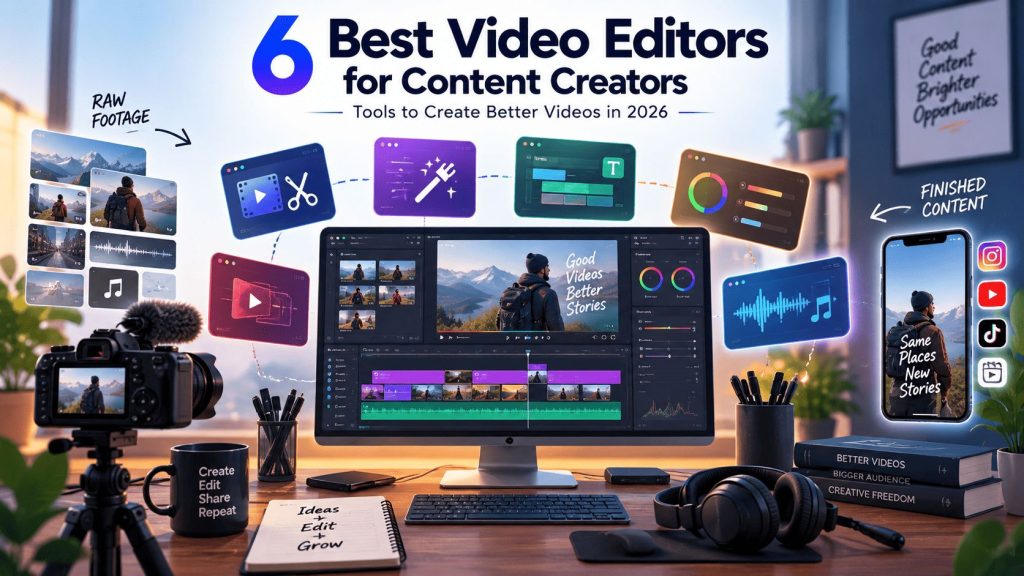
Choosing a video editor is not simply about finding the software with the longest feature list. The better question is whether the editor fits the kind of content you create and the amount of editing work you actually need to do.
A creator producing daily Shorts has very different requirements from someone editing hour-long interviews, podcasts, or YouTube videos. Some need fast captions and social formats, while others need detailed timeline control, footage organization, and professional post-production tools.
This guide covers six video editors worth considering, with a focus on what each one does well and which type of content creator may find it most useful.
What Should Content Creators Look for in a Video Editor?
Start with your typical workflow. Do you mainly create short-form videos, long YouTube videos, podcasts, interviews, or a mix of formats?
For short-form content, features such as automatic captions, quick trimming, aspect-ratio changes, and social media workflows can make a significant difference. Long-form creators may care more about timeline control, footage organization, audio editing, and handling multiple takes.
AI is another factor worth considering. Modern video editors increasingly use AI for tasks such as captioning, footage analysis, clip selection, editing assistance, and content repurposing. However, these features vary considerably between platforms.
The six tools below take different approaches, so the right option depends on where your biggest editing bottleneck lies.
1. Invideo Editor
Invideo editor takes an AI-assisted approach to video editing by putting editing agents directly into a professional timeline workflow.
Instead of only generating a video from a prompt, its AI editing agents can work with footage and direction provided by the creator. They can help review material, select usable takes, remove repetition, and assemble a base cut that remains editable on the timeline.
This can be useful for creators who regularly deal with large amounts of raw footage. For example, someone recording a long interview may have several takes, false starts, pauses, and repeated answers. Getting through that material manually can take a significant amount of time before the creative editing even begins.
With an agentic editing workflow, the initial assembly can be delegated while the creator remains responsible for reviewing the result and shaping the final story.
Invideo editor also covers tasks such as footage search, editing, visual effects, color and grading, audio post-production, dubbing and localization, and creating different versions of a project.
Because the workflow remains timeline-based, creators can inspect the changes and continue editing manually rather than treating the AI output as a locked final video.
🔥 Best for: Creators and editors working with raw footage who want AI assistance with repetitive editing work while maintaining control over the timeline.
2. Kapwing
Kapwing is a browser-based video creation and editing platform designed with online content workflows in mind.
It is particularly useful for creators and teams producing social media content, marketing videos, presentations, and other short-form assets. Its online workflow means users can work without relying on a traditional desktop editing setup.
The platform includes common editing capabilities such as trimming, resizing, text, subtitles, and other elements that creators frequently need when preparing content for different platforms.
Kapwing can also be useful when several people are involved in content production. A browser-based workflow makes it easier for teams to review and work on content without passing large project files between different applications.
🔥 Best for: Social media creators, marketers, and teams that want an accessible online video editing workflow.
3. CapCut
CapCut is particularly popular among creators focused on short-form social content.
Its workflow is designed around the types of editing tasks that are common on platforms such as TikTok, Instagram, and YouTube Shorts. Creators can trim footage, add text and captions, apply effects, adjust formats, and build short videos without needing the complexity of a traditional professional editing application.
For creators who publish frequently, this accessibility can be useful. A short video may only need a few cuts, captions, transitions, music, and some visual adjustments, making a lightweight editing workflow practical.
CapCut is less about building a complex post-production environment and more about helping creators produce social-first content efficiently.
🔥 Best for: Short-form creators who regularly produce TikToks, Reels, and YouTube Shorts.
4. OpusClip
OpusClip takes a different approach from traditional video editors by focusing heavily on turning long-form videos into shorter clips.
This makes it particularly relevant to creators who already have substantial video content but want to distribute it across multiple platforms. A podcast, webinar, interview, livestream, or long YouTube video can contain several moments that could work as standalone clips.
Instead of manually watching the entire recording and identifying potential highlights, creators can use AI-assisted clipping to speed up the discovery process.
The resulting clips may still require review and editing. Hook quality, context, pacing, captions, and framing all matter when turning a section of a long video into an effective short-form post.
🔥 Best for: Podcasters, YouTubers, interview creators, and teams repurposing long-form videos into short clips.
5. Submagic
Submagic focuses heavily on short-form video editing and captions.
For creators publishing videos where spoken content is central, captions can be a major part of the viewing experience. Submagic is designed around this type of content, helping creators add captions and other visual elements to short videos.
This makes it particularly relevant to social media creators who produce talking-head videos, educational clips, commentary, or other formats where viewers need to follow spoken dialogue.
The platform is more specialized than a traditional full-scale video editor. If your workflow involves complex timelines, extensive footage organization, advanced color work, or detailed post-production, you may need a more comprehensive editing environment.
🔥 Best for: Short-form creators who prioritize captions and fast social video production.
6. Adobe Premiere Pro
Adobe Premiere Pro is a professional video editing application designed for projects that require detailed control over the edit.
Unlike specialized short-form tools, Premiere Pro provides a broad editing environment for working with complex timelines, multiple tracks, effects, transitions, audio, color workflows, and different types of media.
That makes it suitable for creators producing more demanding projects such as long-form YouTube videos, documentaries, branded content, music videos, and commercial productions.
The depth of the software also means there is more to learn. Beginners who only need basic trimming and captions may find a specialized online editor easier to approach.
For creators who want extensive control over every part of their edit, however, a professional timeline-based application can provide the flexibility needed as projects become more complex.
🔥Best for: Professional creators and editors who need detailed control over complex video projects.
How to Choose the Right Video Editor
The best video editor depends on the type of content you create and where you spend the most time during editing.
✅ If you mainly produce short-form social content, tools such as CapCut and Submagic can make common tasks like captions, quick cuts, and formatting more accessible.
✅ If your workflow revolves around repurposing long videos, OpusClip can be useful for identifying and creating shorter clips from existing content. Kapwing is another option for creators who want an online editing environment for social and marketing content.
✅ For professional, complex projects, Premiere Pro provides deeper control over the timeline and post-production process.
✅ If your main challenge is working through raw footage, Invideo editor takes a different approach. Its AI editing agents can assist with footage review, take selection, cleanup, and initial assembly directly within an editable timeline. That makes it relevant to creators who want to delegate repetitive parts of editing without handing over the entire creative process.
Final Thoughts
There is no single video editor that works best for every content creator.
The right choice depends on whether you need fast social editing, automated content repurposing, caption-focused workflows, detailed professional editing, or assistance with large amounts of raw footage.
Before choosing a tool, think about where you currently lose the most time. If it is adding captions and preparing Shorts, a specialized editor may be enough. If it is manually reviewing hours of footage or building the first cut, an AI-assisted editing workflow may offer more value.
Ultimately, the best video editor is the one that fits your production process and gives you enough control to turn your footage into the content you actually want to publish.