
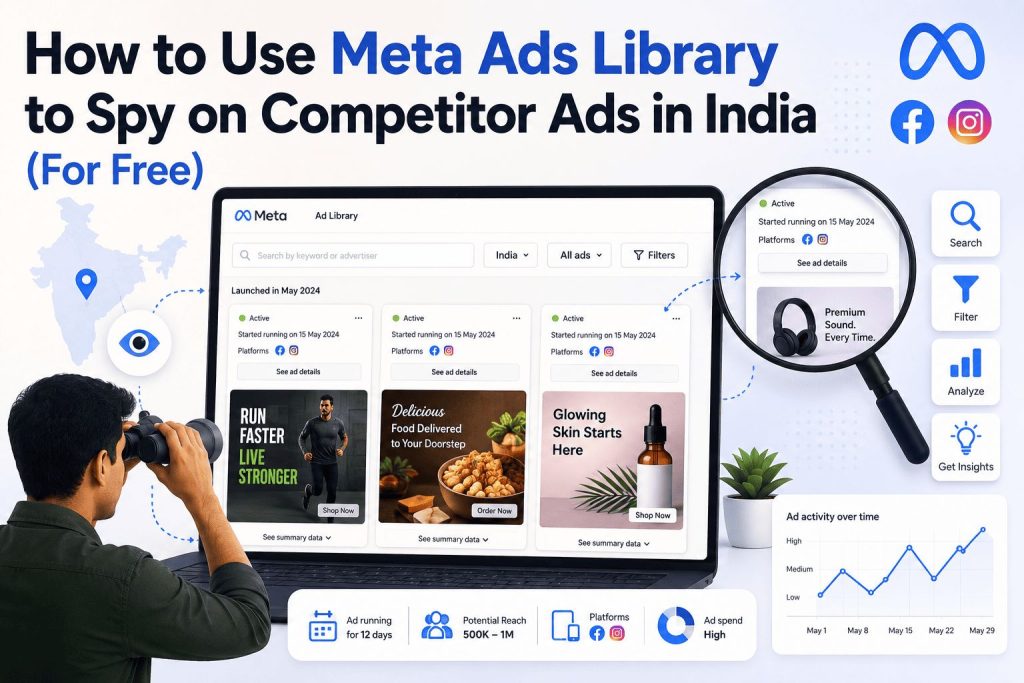
There’s a free tool sitting right in front of every Indian marketer and business owner running Facebook and Instagram ads. It shows you every ad your competitors are running right now — the exact creative, the copy, how long it’s been live, which platforms it’s running on, and sometimes even how many people have seen it.
Most people either don’t know it exists, or they’ve opened it once, done a quick search, and closed the tab without really understanding what they were looking at.
That tool is the Meta Ads Library. And if you’re spending money on Meta ads without regularly checking it, you’re essentially going into a competitive match without watching any footage of the other team.
This guide covers everything — what the tool actually is, how to access it, how to use every filter effectively, and most importantly, how Indian businesses and marketers can use it to extract genuine competitive intelligence rather than just browsing competitor ads out of curiosity.
What Is the Meta Ads Library?
The Meta Ads Library is a free, publicly accessible database of every ad currently running across Meta’s family of platforms — Facebook, Instagram, Messenger, WhatsApp, Threads, and the Meta Audience Network.
You might know it by its older name: the Facebook Ads Library. When Facebook rebranded the entire company to Meta in 2021, the tool was renamed accordingly. It’s the same tool at the same URL — facebook.com/ads/library — just under a new name. If you search for “Facebook Ads Library” and land on the Meta Ads Library, you’re in the right place.
Meta originally launched it in 2018 under significant pressure to bring transparency to political advertising on its platforms. At launch, it only covered political and issue-related ads. Over the years, it expanded to cover all ad categories — and in doing so, accidentally handed marketers one of the most powerful free competitive research tools in digital advertising.
Today, the Meta Ads Library indexes active ads from millions of advertisers worldwide. Any business running ads on Facebook or Instagram has those ads visible in the library — whether they know it or not.
Why Indian Marketers Should Be Using This More
Here’s the honest situation: most Indian businesses and marketers are not using the Meta Ads Library seriously. They might open it occasionally when they see a competitor’s ad in their feed and get curious. But very few are using it as a systematic part of their marketing workflow.
This is a significant missed opportunity — and it’s one that’s especially relevant in India for a few reasons.
The Indian Meta advertising market is intensely competitive. Thousands of D2C brands, local businesses, coaching institutes, ecommerce sellers, and service providers are all competing for the same audiences on Facebook and Instagram. Knowing what your competitors are doing with their ad spend — what messaging they’re testing, which formats they’re investing in, how aggressively they’re advertising — gives you an edge that most of your competitors simply don’t have.
WhatsApp ads are now trackable in the library. WhatsApp click-to-chat ads — a massive channel in India, Brazil, and SEA — now have their own filter in the Meta Ads Library. India is one of the world’s largest WhatsApp markets. If your competitors are running click-to-WhatsApp ads — a format Indian businesses use heavily for lead generation — you can now see those ads directly in the library and study what’s working.
The impression data update changes everything. As of January 2026, every ad in the library now shows an impression range bucket — under 1K, 1K–5K, 5K–10K, 10K–50K, 50K–100K, 100K–500K, 500K–1M, and 1M+. You can filter and sort by these ranges, making it easy to surface which creatives competitors are actively scaling. This means you’re no longer guessing which ads are performing — you can see which ones are reaching large audiences and focus your research there.
How to Access the Meta Ads Library
There are three ways to get to the library:
➤ Method 1 — Direct URL Go to facebook.com/ads/library in any browser. No login required. You’ll land directly on the search interface.
➤ Method 2 — From a Competitor’s Facebook Page If you spot a competitor’s ad in your Facebook or Instagram feed, there’s a faster route. Click the three dots in the top right corner of any ad. Select “Why am I seeing this ad?” and then look for “See more ads from this advertiser.” This takes you directly to that brand’s full ad library profile — every active ad they’re running, in one place. This is particularly useful when you see a competitor’s ad in the wild and want to immediately see their full campaign picture.
➤ Method 3 — From a Brand’s Facebook Page Go to any brand’s Facebook Page. Scroll to the “Page Transparency” section in the left sidebar. Click “See All” and then “Go to Ad Library.” This brings up every ad that page is currently running.
Understanding the Meta Ads Library Interface
When you first land on the Meta Ads Library, you’ll see a search bar and a few options. Here’s what everything means before you start searching.
The Search Bar
You can search in two ways:
By advertiser name or page name: Type the name of a specific brand or competitor. This shows all ads that brand is currently running. Useful when you know exactly whose ads you want to study.
By keyword: Type a word or phrase — like “digital marketing course,” “skincare India,” or “home loan” — and the library shows every ad across all advertisers that contains that keyword in the copy or creative. This is extremely powerful for category-level research. Instead of studying one competitor, you’re studying an entire industry’s approach to advertising.
The Country Filter
This is the most important filter for Indian businesses and one that most people overlook. By default, the library may show global results. If you are running ads in India, select India. If you want to see how a global brand localizes its messaging, compare the same advertiser across multiple countries.
For local businesses in Indore, Bhopal, Nagpur, or any other Indian city, always set the country to India first. You want to see what’s working in the Indian market specifically — not what a US D2C brand is running for American audiences.
The Ad Status Filter
You can filter between:
Active ads: Ads currently running right now. This is what you’ll use most of the time for competitive research — you want to know what your competitors are spending money on today.
Inactive ads: Ads that have been paused or stopped. Don’t dismiss these. An ad that ran for several months before being paused is almost certainly a proven performer — it ran long enough to demonstrate results. Studying inactive ads that had long run times is one of the most underrated research tactics in the library.
The Platform Filter
You can filter searches by platform to see where ads appear — on Facebook, Instagram, Messenger, WhatsApp, Threads, or Audience Network.
For Indian businesses, the Instagram and WhatsApp filters are particularly useful. Instagram is where most Indian D2C and lifestyle brands invest heavily in visual creative. WhatsApp is where many Indian lead generation campaigns run. Filtering to specific platforms helps you understand not just what competitors are saying, but where they’re choosing to say it.
The Media Type Filter
Filter between all ads, image ads, video ads, meme ads, and carousel ads. Use this when you want to understand format trends — are competitors in your category investing heavily in video, or are static images still dominant? If a competitor is running 20 video ads simultaneously, that’s a signal they’ve found video works for their audience and they’re scaling it.
Step-by-Step: How to Research a Competitor in the Meta Ads Library
Here’s a practical workflow you can follow every time you sit down to research a competitor.
👉 Step 1: Search for the Competitor by Name
Type the brand or business name into the search bar. Set the country to India. Set ad status to Active. Hit search.
You’ll see every ad that brand is currently running. Before you dive into individual ads, get a quick overview — how many ads are they running? A brand running 2 ads is testing or maintaining. A brand running 30 to 50 ads simultaneously is actively scaling and testing multiple creatives. Volume tells you how aggressively they’re investing.
👉 Step 2: Sort by Impression Range
This is the 2026 upgrade that changes how you prioritize your research. Instead of scrolling through all active ads randomly, filter by impression range to find the ads reaching the most people. An ad in the 100K–500K or 500K–1M impression bucket is clearly working — it’s getting significant distribution, which on Meta means the algorithm is favoring it.
Start your analysis with the highest-impression ads. These are your competitors’ best performers and the most worth studying carefully.
👉 Step 3: Study Long-Running Ads
Sort or look for ads with the earliest start dates. Ads that have been running for weeks or months signal strong performance — use long-running competitor ads as strategic inspiration rather than copying them directly.
On Meta’s platform, ads that don’t convert get expensive quickly. When an ad has been running for 30, 60, or 90+ days, it’s almost certainly profitable. Nobody keeps spending money on an ad that isn’t working. Long run time is your best proxy for performance when you can’t see the actual results data.
👉 Step 4: Analyze the Creative
For each high-impression, long-running ad you find, spend time actually studying it properly. Ask these questions:
What’s the hook? The first 3 seconds of a video or the headline of an image ad is the most important element. What is the competitor leading with — a problem, a price, an emotion, a question, a bold claim?
What’s the offer? Are they promoting a discount, a free trial, a demo, a consultation, a product bundle? What are they giving people a reason to click?
What’s the call to action? Are they driving people to a website, asking them to message on WhatsApp, or directing them to a lead form? The CTA choice tells you where in their funnel this ad sits.
What’s the tone? Is it aspirational, urgent, educational, humorous, or emotional? For Indian audiences, the emotional and aspirational tones tend to work particularly well — understanding the emotional register your competitors use can directly inform your own creative direction.
What language are they using? Are they advertising in English, Hindi, or a regional language? For many Indian businesses, switching to Hindi or regional language creatives has dramatically improved performance. If a competitor is running Hindi ads and you’re only running English, that’s a gap worth exploring.
👉 Step 5: Note What’s Missing
This is where real opportunity hides. Look across multiple competitors in your category and identify what none of them are doing. Is nobody running video testimonials? Is no competitor addressing a specific objection or pain point? Is there a customer concern nobody’s speaking to?
Gaps in competitor advertising are direct opportunities for your campaigns. If you’re the only brand addressing a specific problem that your target audience has, your ads will stand out in a feed full of similar-looking competitors.
👉 Step 6: Save Your Search
After running a search with your preferred filters, click “Save search” near the top of the page and give it a name. Next time, head to “Saved searches” and rerun it in one click.
Set a recurring reminder — weekly or fortnightly — to revisit your saved searches. Competitor ad research done once is a snapshot. Done consistently over months, it becomes a living picture of how your competitive landscape is evolving.
How to Use Keyword Search for Category-Level Research
Searching by advertiser name tells you what one competitor is doing. Searching by keyword tells you what an entire industry is doing.
This is particularly powerful when you’re launching a new campaign or entering a new market segment. Instead of guessing what messaging or creative approach to use, you can see what the entire market has converged on.
How to do it:
Search for a keyword related to your product or service with the country set to India. For example:
- A digital marketing agency might search “digital marketing course Indore” or “SEO services India”
- A clothing brand might search “ethnic wear” or “kurta collection”
- A coaching institute might search “UPSC preparation” or “CA coaching”
- A home services business might search “pest control” or “home cleaning”
Look at the ads that come up across different advertisers. What angles are being used repeatedly? Repeated angles across multiple unrelated advertisers are market-level signals — they suggest that particular message is resonating with Indian audiences in that category.
Also look for the angle nobody is using. Searching only for direct competitors, keyword search across the whole category reveals angles and offers that brand-level search misses.
Using Meta Ads Library to Study Indian D2C Brands
India’s D2C market has exploded in the last three years. Brands selling everything from skincare to fitness supplements to home décor to ethnic fashion are running sophisticated Meta ad campaigns. The Meta Ads Library gives you a front-row seat to how India’s best D2C marketers are operating.
A few specific things to look for when studying Indian D2C ads:
🔸UGC and testimonial-style creative. Indian D2C brands have found enormous success with user-generated content — real customers talking about products on camera, unboxing videos, before-and-after formats. If you’re running product ads and not using UGC, checking what Indian D2C leaders are doing in the library will make that gap very clear.
🔸Regional language creative. Many successful Indian D2C brands now run separate creative for Hindi, Tamil, Telugu, and other regional audiences. Look at whether competitors are running regional language versions and which platforms those ads run on.
🔸Festive campaign timing. Study competitor ad activity around Diwali, Raksha Bandhan, Holi, and other Indian festivals. The library’s date filter lets you look back and see what campaigns competitors ran during previous festive seasons — giving you a head start on planning your own.
🔸Price point and offer structures. Indian consumers are highly price-sensitive and respond strongly to offer-led creative. Study what discount structures, bundle offers, and price messaging competitors use. An offer that a competitor has been running consistently for months is one that clearly resonates with price-conscious Indian buyers.
What the Meta Ads Library Won’t Tell You
Honesty matters here. The library is powerful but it has real limitations you should understand before relying on it too heavily.
📌 No direct performance metrics. The library doesn’t show click-through rates, conversion rates, cost per result, or ROAS. The impression ranges give you a rough sense of scale but not performance. An ad reaching 100K–500K people might have a terrible conversion rate — you can’t tell from the library alone. Use run time and impression volume as proxies for performance, but remember they’re proxies, not proof.
📌 Inactive non-political ads disappear. Non-political ads disappear once inactive — if a competitor paused a campaign last month, it’s gone from the library entirely. This means you can’t build a historical archive of a competitor’s past campaigns using the library alone. What you see is limited to what’s currently active or very recently stopped.
📌 No targeting details for commercial ads. You can see the ad but not who it’s being shown to. A competitor might be running the same creative to 10 different audience segments with different results — you see the creative but not the targeting strategy behind it.
📌 Ads may appear with a delay. New ads don’t always show up immediately in the library. There’s sometimes a lag of a few hours to a day before a newly launched ad appears in search results.
📌 No keyword targeting information. For Facebook and Instagram ads (unlike Google Search), the library doesn’t show you what interest categories, demographic parameters, or custom audiences a competitor is using. You see the output of their targeting decisions, not the decisions themselves.
Advanced Tips for Getting More From the Library
✅ Use Quotation Marks for Exact Phrase Search
For more precise searches, use quotation marks for exact phrases — for example, “Shop the sale now” — or the “|” symbol to search for multiple words regardless of order. This helps when you want to find ads using specific language or CTAs.
✅ Check Multiple Ad Variations
When you find an ad that interests you, look for whether the advertiser is running multiple variations of it. Secondary signals include creative volume — advertisers running many variations of the same concept are in active testing mode, which means that concept is in their consideration set. Multiple variations of the same core concept means the advertiser is actively testing and believes in that angle enough to invest in multiple iterations.
✅ Study the Landing Page
The library shows the destination URL for most ads. Visit the landing page the ad drives to — not just the ad itself. The relationship between the ad creative and the landing page experience tells you a lot about how sophisticated a competitor’s funnel is. Does the landing page match the ad’s message exactly? Is it a dedicated landing page or just the homepage? How is the offer structured?
✅ Monitor Regional Competitors Specifically
For Indian businesses serving a specific city or region, filter by country to India and search for competitors by their city name in the keyword search. “Digital marketing Indore” or “interior design Bhopal” will surface local competitors’ ads — giving you hyperlocal intelligence that most national marketing guides would never think to tell you about.
✅ Track Changes Over Time
Use the Facebook Ad Library consistently, not once, to track competitor shifts over time. When a competitor suddenly scales from 5 active ads to 40, something has changed — either they’ve found a winning creative, launched a new campaign, or they’re responding to a seasonal opportunity. When a competitor goes from 30 active ads to 2, they’ve either cut budget or something stopped performing. These shifts tell a story if you’re watching regularly.
A Simple Weekly Research Routine
The Meta Ads Library is most valuable when it’s part of a consistent habit, not an occasional one-off visit. Here’s a realistic weekly routine that takes less than 30 minutes:
Every Monday morning, spend 20 to 30 minutes doing this:
Open the Meta Ads Library. Run your three saved competitor searches. For each competitor, note:
- Have they launched any new ads since last week?
- Are there any new creatives or formats they’re testing?
- Have any previously running ads been paused?
- Are impression ranges increasing on any specific ads?
Keep a simple running document — even a Google Doc — where you log what you observe each week. After three months of this habit, you’ll have a sharper read on your competitive landscape than most paid spy tools can give you. You’ll start to see patterns — what seasonal campaigns look like in your category, which brands are scaling aggressively, which messaging angles come and go, and which ones stick around because they keep converting.
Meta Ads Library vs Google Ads Transparency Center
If you run ads on both Meta and Google, you might be wondering how the Meta Ads Library compares to Google’s equivalent tool.
The key distinction is verification. Google requires identity verification before an advertiser appears in its database, making it a more curated and reliable source. Meta’s Ads Library is broader but less filtered, so any active advertiser appears, verified or not. Used together, they give you the most complete picture of competitor activity across both ecosystems.
For most Indian small and medium businesses primarily running Facebook and Instagram campaigns, the Meta Ads Library will be your primary research tool. If you’re also running Google Search or YouTube campaigns, adding the Google Ads Transparency Center (adstransparency.google.com) to your competitive research toolkit gives you a complete view across both platforms.
Digital Dawn is a digital marketing agency based in Indore helping Indian businesses grow through Meta advertising, SEO, content marketing, and performance campaigns. If you want help building a competitive Meta ads strategy for your business, get in touch with our team.